Engineering notes

Masar Blog

Connect with us
01

Metal sheet fabrication, step by step

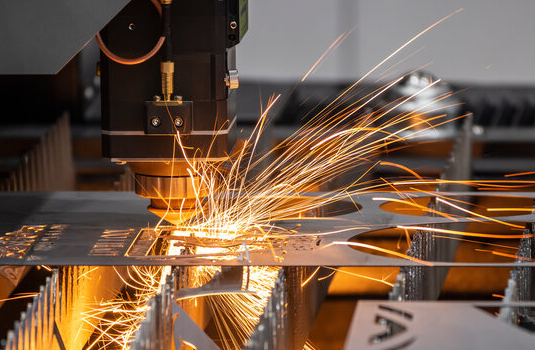
Sheet metal parts mid-fabrication on the shop floor

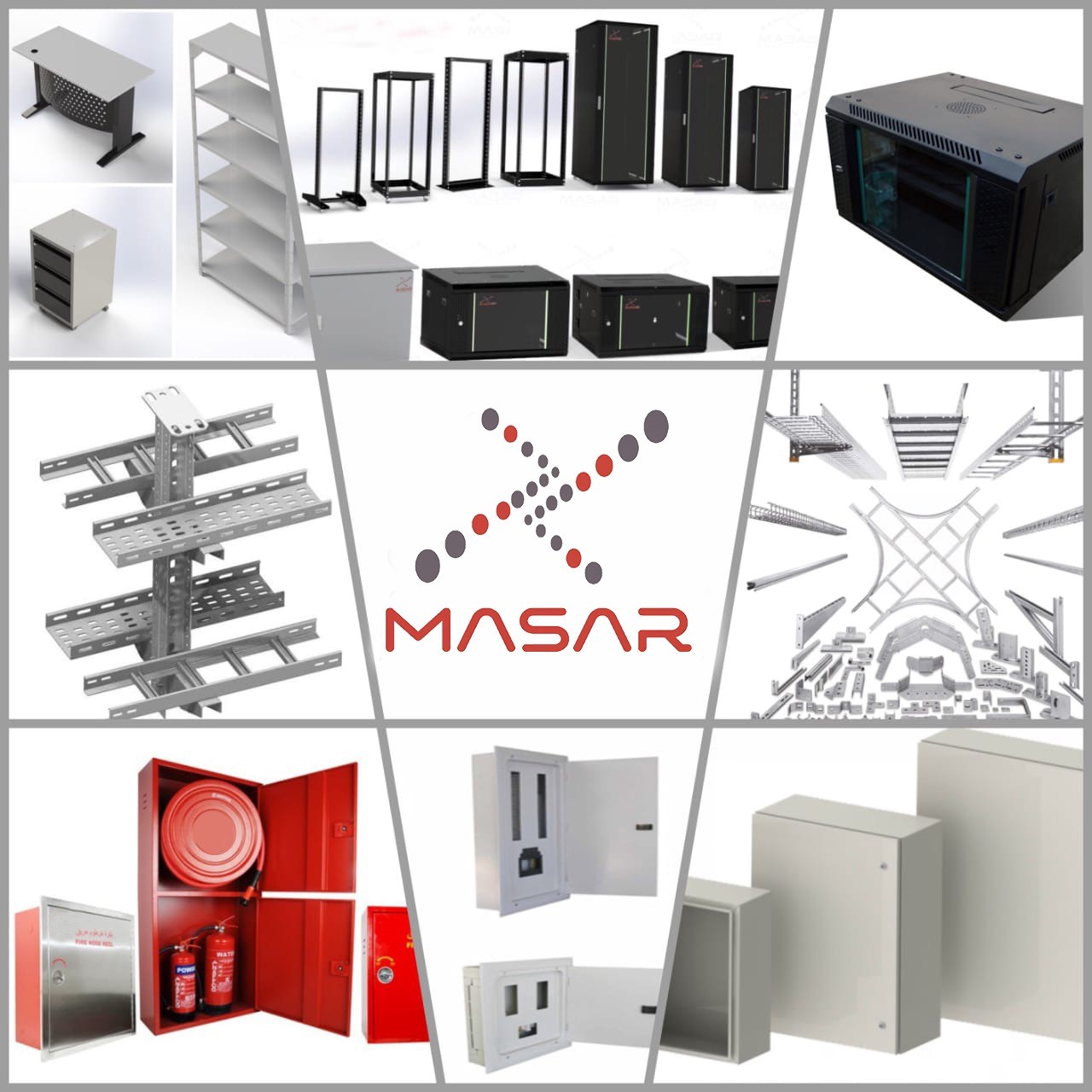
Since 2010, Masar has manufactured standard products and custom designs built around a full understanding of the metal fabrication process, combining modern machinery with a strong commitment to quality.

Sheet metal fabrication turns flat sheets of steel or aluminum into finished structures and products. It's a multi-stage process, and understanding each stage is what produces parts that consistently meet specification. Here's what a sheet typically goes through:

  1. Cutting

    The metal sheet is cut to size using shearing, laser cutting or water-jet cutting, chosen by project specification and material thickness. Precision cutting keeps dimensions accurate and edges smooth.

  2. Bending and forming

    The cut sheet is bent and formed on press brakes, stamping presses or roll-forming machines, with careful attention to bend angles and radii.

  3. Welding and assembly

    Pieces are joined with heat using MIG, TIG, shielded metal arc welding (SMAW) or laser beam welding, chosen by equipment, metal type and thickness.

  4. Surface finishing

    Grinding, polishing or coating improves appearance, corrosion resistance, or functional properties like conductivity.
    Finished sheet metal enclosure after surface treatment
  5. Inspection and quality assurance

    Parts are checked for dimensional accuracy, surface quality and integrity before assembly or delivery.

  6. Assembly

    Parts are joined with fasteners, screws, rivets, adhesive or clinching.

  7. Testing and validation

    Mechanical, stress and environmental testing confirm the finished product meets functional and performance criteria.

Sheet metal fabrication carries real costs — tooling, equipment and, for some processes, labor — but the trade-offs are worth understanding:

  • Versatility — intricate designs and complex shapes with relative ease.
  • Strength and durability — a robust, long-lasting result even in harsh environments.
  • Customization — techniques can be tailored to precise project requirements.
  • Rapid prototyping — fast turnaround lets designers iterate quickly during development.

We'll walk through each stage in more depth in upcoming articles.

02

Your guide to metal coating

Close-up of a coated metal panel surface

Metal is strong and durable, but corrosion is the problem almost every metal product eventually faces — along with tool marks and sharp edges left over from fabrication. Coating strategies address both, and each comes with its own trade-offs in cost, labor and time. Here's how the main options compare.

Powder coating

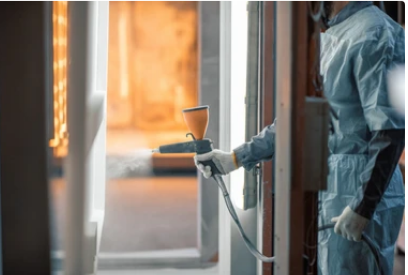
Powder coating booth applying an electrostatic charge to a metal part

Powder particles are electrostatically charged opposite to the part being coated, so they cling to the surface, then cured with heat or UV into a matte, glossy or textured finish. A textured finish also hides minor surface defects.

Pros

  • Durable and resistant to fading, chipping and scratching.
  • Solvent-free and low-waste — overspray powder can be reclaimed.
  • Wide range of colors and finishes.

Cons

  • High start-up cost for booths, ovens and spray equipment.
  • Not suitable for every metal type, including galvanized steel.
  • Surface finish is less smooth than some alternatives.
Range of powder-coated color finishes

Galvanization

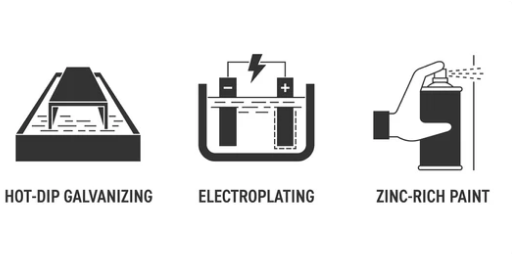
Hot-dip galvanizing submerges steel or iron in molten zinc; electro-galvanizing uses an electric current to deposit zinc-iron alloy layers instead. Either way, the coating reacts with atmospheric oxygen and carbon dioxide to form a protective zinc carbonate layer.

Pros

  • Excellent, long-lasting corrosion protection for steel.
  • Sacrificial — the zinc corrodes preferentially if the surface is scratched, protecting the steel underneath between maintenance cycles.
  • Cost-effective at scale, and paintable or powder-coatable for extra protection.

Cons

  • Steel only.
  • Only one finish color.

Anodizing

An electrochemical process that oxidizes the metal's outer layer by soaking it in a chromic-acid electrolyte and passing current through it — similar in principle to passivation, and used mainly on aluminum.

Pros

  • Boosts aluminum's natural corrosion resistance.
  • Can be dyed in a wide range of colors.
  • Resistant to UV fading.

Cons

  • Aluminum only.
  • More energy- and material-intensive, so typically more expensive.

E-coating

Electrophoretic coating immerses the part in a water-based paint bath and uses an electric current to deposit paint evenly — including into recesses that spray methods struggle to reach. It's common in automotive manufacturing.

Pros

  • Uniform, corrosion-resistant finish.
  • Low-VOC and environmentally friendly.
  • Cost-effective and efficient at volume.

Cons

  • Limited color range compared with powder coating.
  • Less durable than powder coating or anodizing.

Electroplating

The part is placed in a tank of positively charged electrolyte containing another metal — copper, zinc, silver or nickel. An electric current deposits ions from the electrolyte onto the part, forming a thin metallic layer.

Pros

  • Improves corrosion resistance and wear properties.
  • Decorative, high-quality surface finish.
  • Works across a variety of base metals.

Cons

  • Costlier than e-coating due to metal and process complexity.
  • Needs regular maintenance and polishing.
  • Coating thickness can be uneven, ruling out high-precision uses.
  • Uses electrolytes that can be toxic — disposal needs care.

Masar offers a range of metal coating options, so you can match longevity and appearance requirements to your project without over-specifying.

03

Indoor network racks: wall-mounted types

Wall-mounted network rack installed in a small server room

Open-frame, enclosed and wall-mounted racks each store network equipment differently, and the right choice comes down to your space and needs. Here's what wall-mounted racks offer.

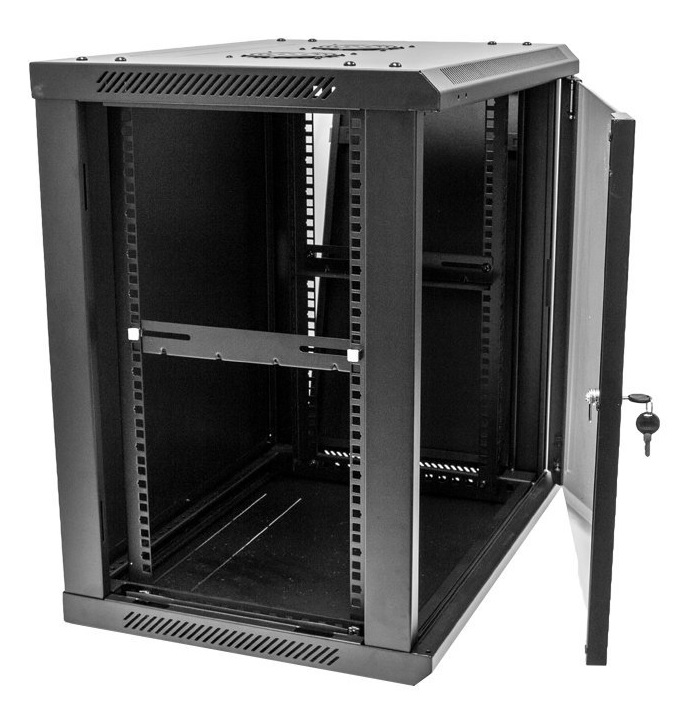
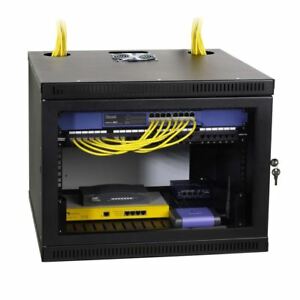
Wall-mounted racks are fixed to a wall rather than the floor, typically housing patch panels and switches (though servers can go in too), with equipment mounted vertically or horizontally to save space while keeping front and back access clear.

Pros of wall-mounted racks

  • Floor space — nothing sits on the desk or floor, keeping a clear path in tight rooms.
  • Physical security — equipment can be fully enclosed and bolted securely to the wall.
  • Easy access — quick to install, and easy to reach for maintenance.

Cons of wall-mounted racks

  • Size and weight limits, since the rack is secured directly to the wall.
  • Effectively a permanent installation once mounted.

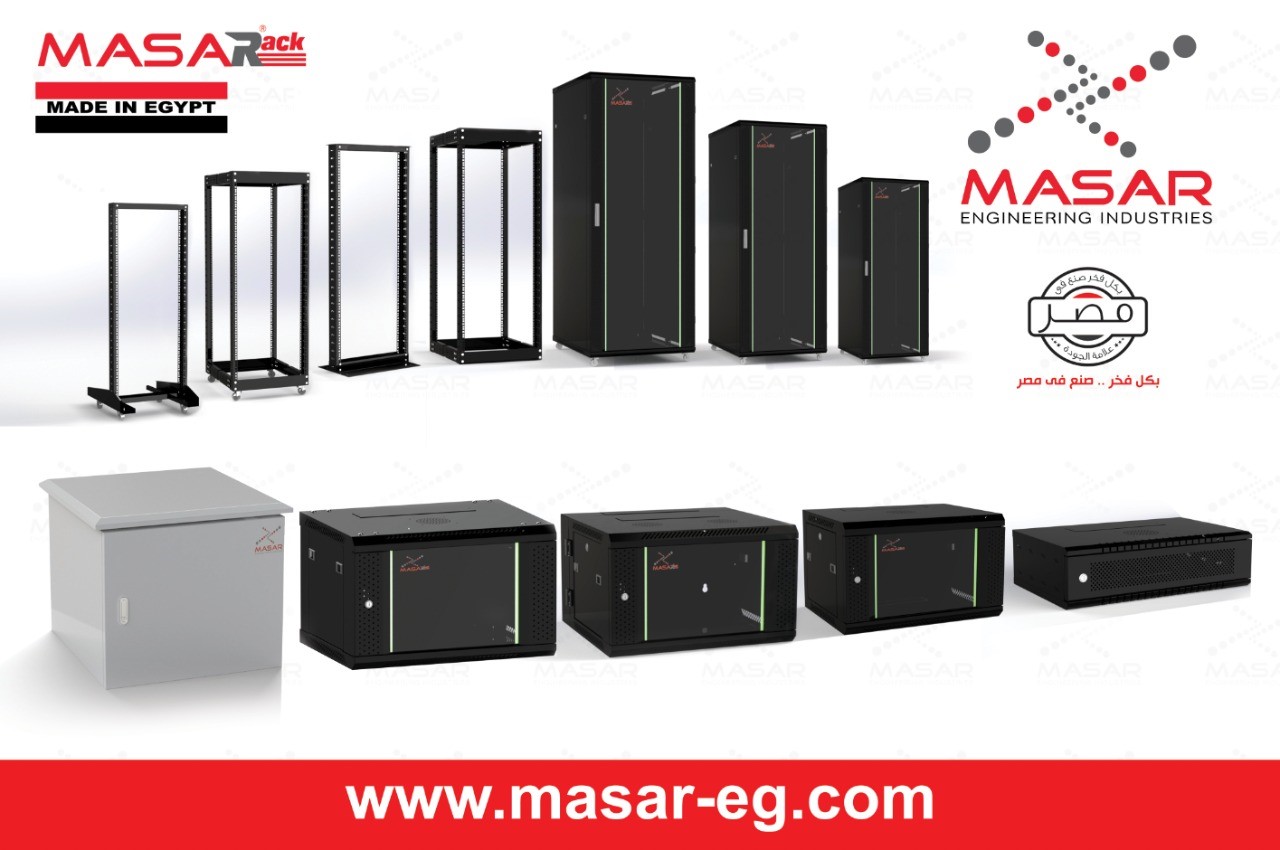
Masar wall-mounted network racks

Masar Premium wall-mounted rack

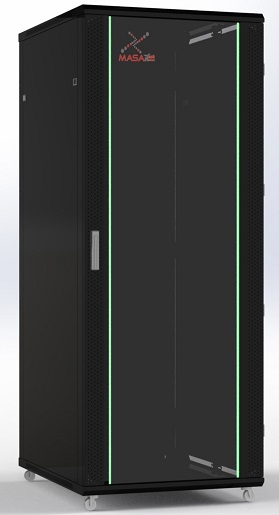
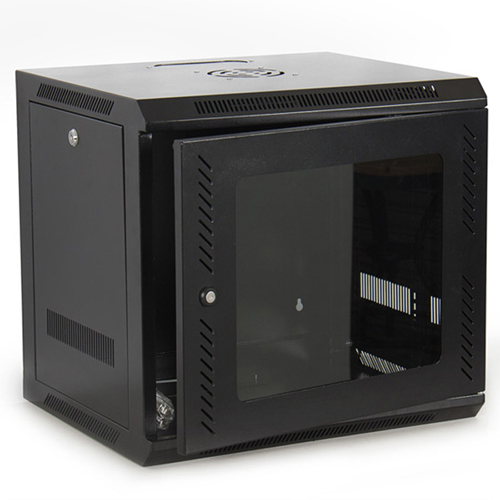
Masar Rack Premium — built for small networking, domestic, AV, telecom and lab use. Fabricated from heavy-gauge cold-rolled steel, CNC punched, bent, welded and powder-coated. Side panels and a fan-ready top cover come standard; a front glass door with lock and key provides visibility and security, and the rear has wall-mounting slots. Available 4U–15U, in 450mm and 600mm depths.

Features: 19" standard width · removable side panels (locks optional) · knock-out cable entries top and bottom · 180°+ door swing · fan/PDU/shelf accessories · grounding and bonding options · flat-pack shipping.

Masar Rack Economy — the same configuration in medium-gauge steel for lighter networking, domestic, AV and telecom use. Same 4U–15U range and 450/600mm depths, with removable side panels, top/bottom cable entries, 180°+ door swing and the same accessory options.

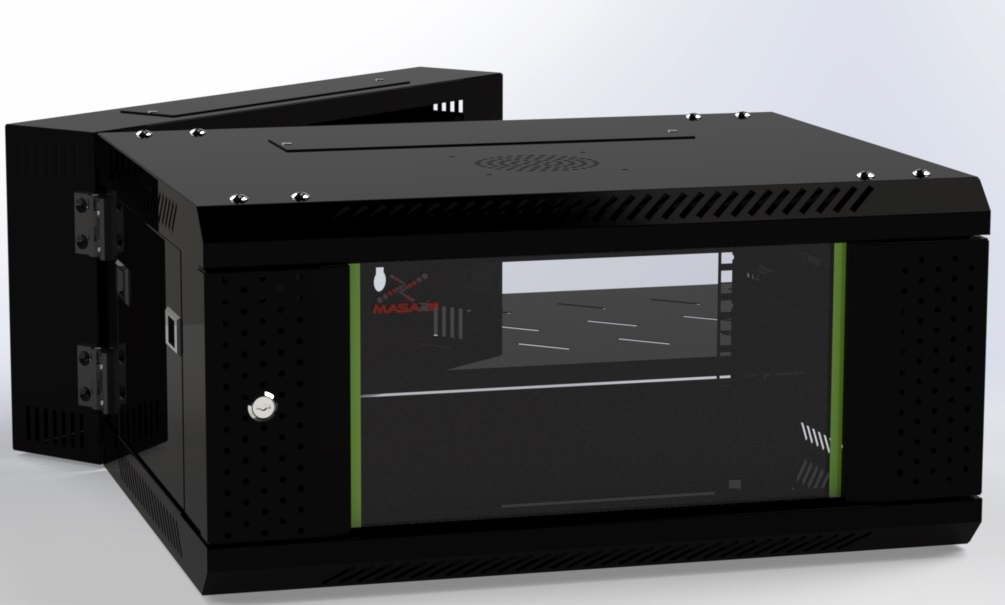
Masar double-section wall-mounted rack

Masar Double Section Racks — a welded-frame design for small networking, industrial, AV and telecom applications, in heavy-gauge cold-rolled steel. The front section hinges to the back section on quality hinges; the back section carries the wall mount, and front and back sections lock independently. Available 6U–15U with the same feature set as the Premium range.

Next up: floor-standing network racks — their types and features.

04

Indoor network racks: environment checklist

Network racks give routing equipment a centralized home, keep cabling organized and airflow consistent, and make maintenance and upgrades far easier — but only if the rack actually matches the room it sits in.

Network rack interior showing cable and airflow organization

Choosing the right rack means understanding two things: the requirements of your indoor environment, and the different types of rack available. This article covers the first; the next covers the second.

  1. Size

    Racks run from 2U to 48U. Taller racks pack more equipment into the same floor footprint — useful in dense or space-constrained rooms. Size for future growth, not just today's load.

  2. Equipment installation

    Adjustable mounting rails, tool-less installation and clearly marked rack units (U) make installing, removing and swapping equipment far less fiddly.

    Technician installing equipment into a rack's mounting rails
  3. Cable management

    Horizontal and vertical cable managers and patch panels keep routing, labeling and organization under control — especially important for fiber, where dropped cables can affect performance.

  4. Energy and power distribution

    Energy-efficient equipment plus PDUs with power monitoring keep consumption and distribution in check.

  5. Airflow and heat management

    Proper ventilation, perforated doors and, where needed, fans keep equipment at a safe operating temperature.

  6. Fire detection

    Smoke detectors and alarms protect the rack and its contents.

  7. Physical security

    Locking doors, side panels and cable management systems prevent unauthorized access.

  8. IP rating

    In dusty or humid environments, an Ingress Protection rating tells you how well the rack resists solids and liquids.

Weigh these against your current and future needs, and you're ready for the next decision: which type of indoor network rack actually fits.

05

Choosing an outdoor network cabinet

Outdoor cabinet exposed to sun and rain

Outdoor and industrial wash-down installations put thermal management front and center — heat from the sun in summer, extreme cold in winter — so an outdoor cabinet needs to hold a controlled environment for equipment that was never designed to face the weather directly. Here's what to weigh before you buy one.

  1. Waterproofing

    Look for cabinets that are sealed, insulated and ventilated to handle rain, snow, heat and humidity.

  2. Security

    Secure locking, tamper-proof construction, and optionally alarms, access control or surveillance.

  3. Cooling and ventilation

    Passive convection may not be enough — fans, heat exchangers or air conditioning sized to your peak heat load and worst-case ambient temperature prevent overheating.

  4. Cable management

    Cable entry points and internal routing simplify maintenance and reduce damage risk.

  5. Power and backup

    Make sure the cabinet accommodates your AC/DC supply, distribution and backup requirements.

  6. Size and capacity

    Size for the equipment you have and the expansion you expect.

  7. Material and construction

    Robust, corrosion-resistant construction — powder-coated steel is the common choice — protects against damage and vandalism.

  8. Ease of installation and maintenance

    Accessible panels, swing-out racks and good cable management keep lifetime costs down.

  9. Compliance and standards

    Confirm the cabinet meets relevant government, industry and environmental regulations.

  10. Total cost of ownership

    Weigh upfront cost against long-term maintenance and durability, and factor in the vendor's reputation and support.

Masar outdoor racks

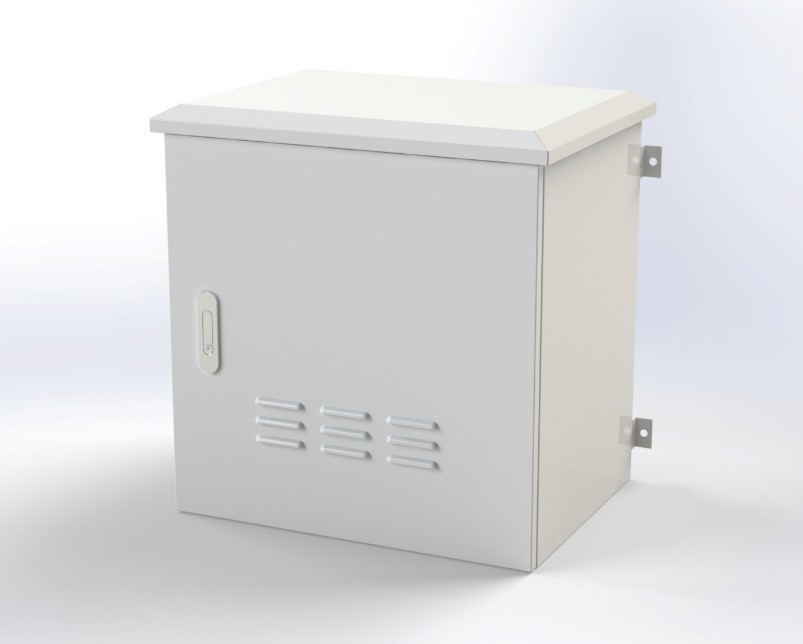
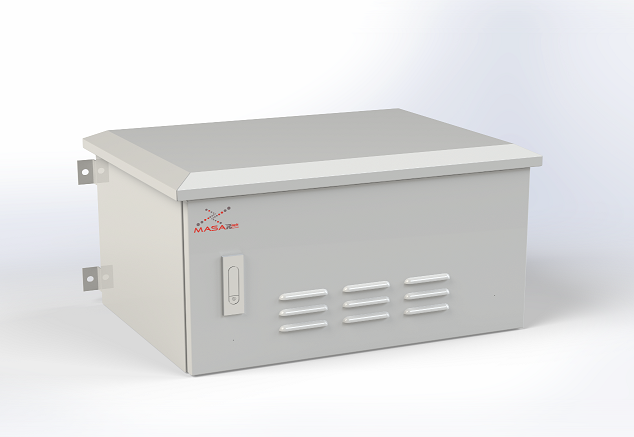
Masar outdoor pole-mount enclosure

Fabricated from cold-rolled steel — CNC punched, bent, welded and powder-coated to outdoor standard. The welded frame has a down-vented top cover, front-door fan mounting rated for water and dust resistance, rear pole-mounting provision, and a lockable front glass door. Available 6U–12U, in 400/450/500mm depths, 550mm width.

Masar outdoor rack cooling fan and mounting detail

Features: IP55-rated · 19" standard width with adjustable, depth-adjustable mounting verticals · top-panel ventilation with bottom cable entry · front-door cooling fans protected from rain and dust · rear pole-mounting · fan/PDU/shelf accessories available.

06

Six essential rack accessories

Whatever shape your rack takes, a handful of accessories are what actually make it usable — organized, well-ventilated and easy to work in.

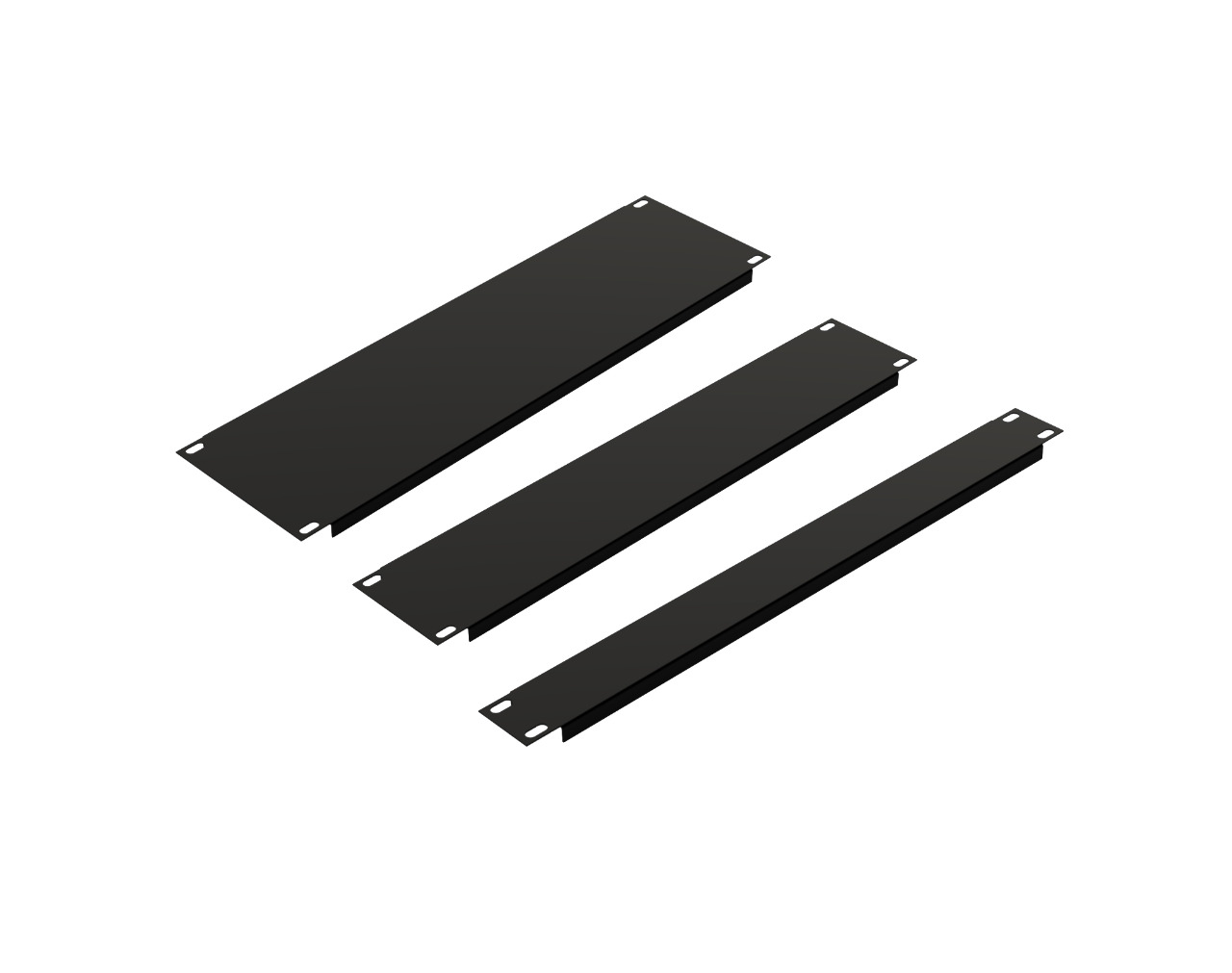
Blanking panel installed in an empty rack slot

Blanking panels

A simple, low-cost way to manage airflow: block off empty slots so incoming cool air is pulled through the server's intake instead of leaking away inside the rack, keeping hot and cool air properly separated.

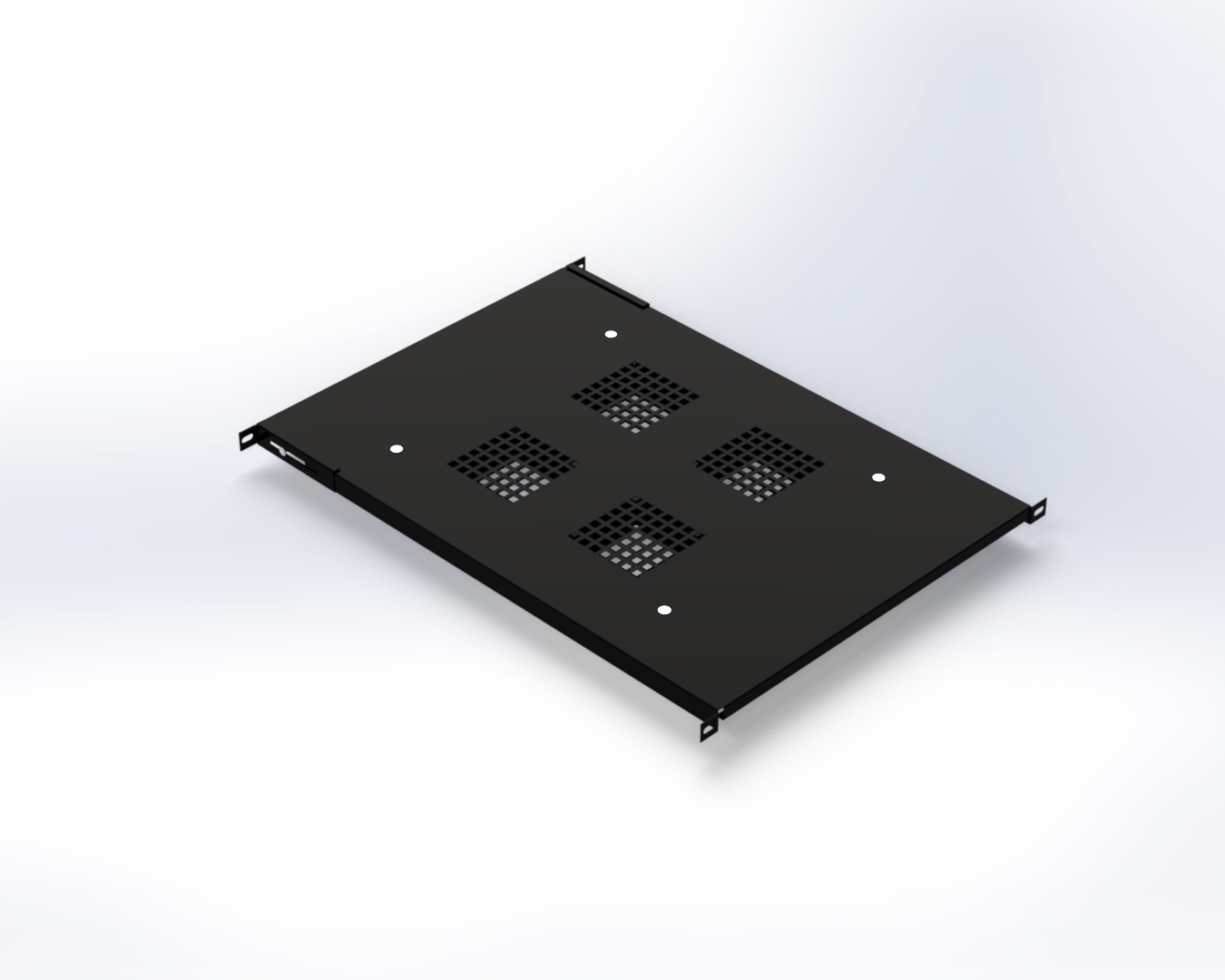
Ventilation fan shelf mounted in a rack

Ventilation fans

Servers run constantly, and heat has a real effect on performance over time. Fans break up hot spots by pushing cool air to wherever ventilation is weak.

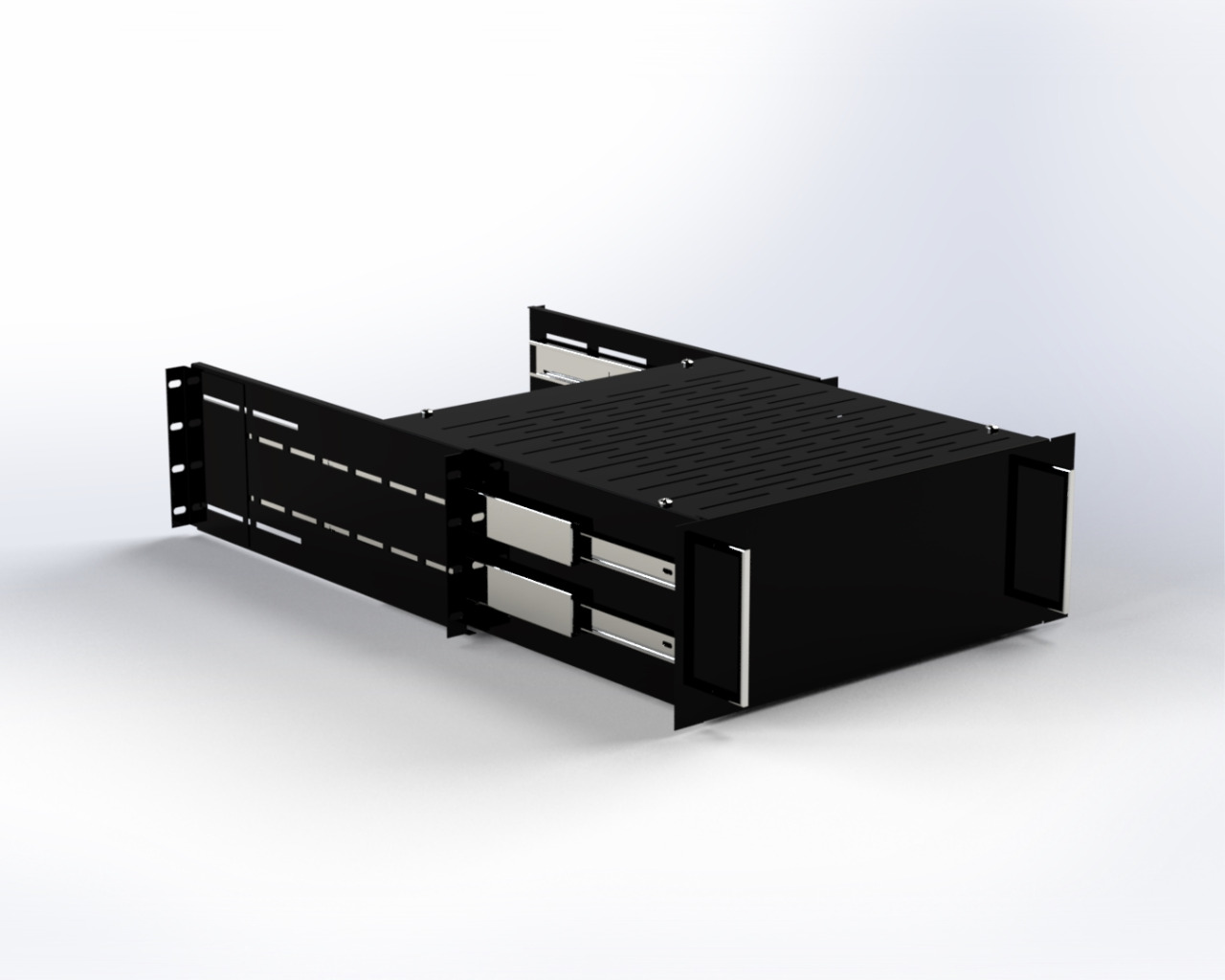
Pull-out drawer mounted in a network rack

Drawers

Keep the tools and small parts you use for rack maintenance inside the rack itself.

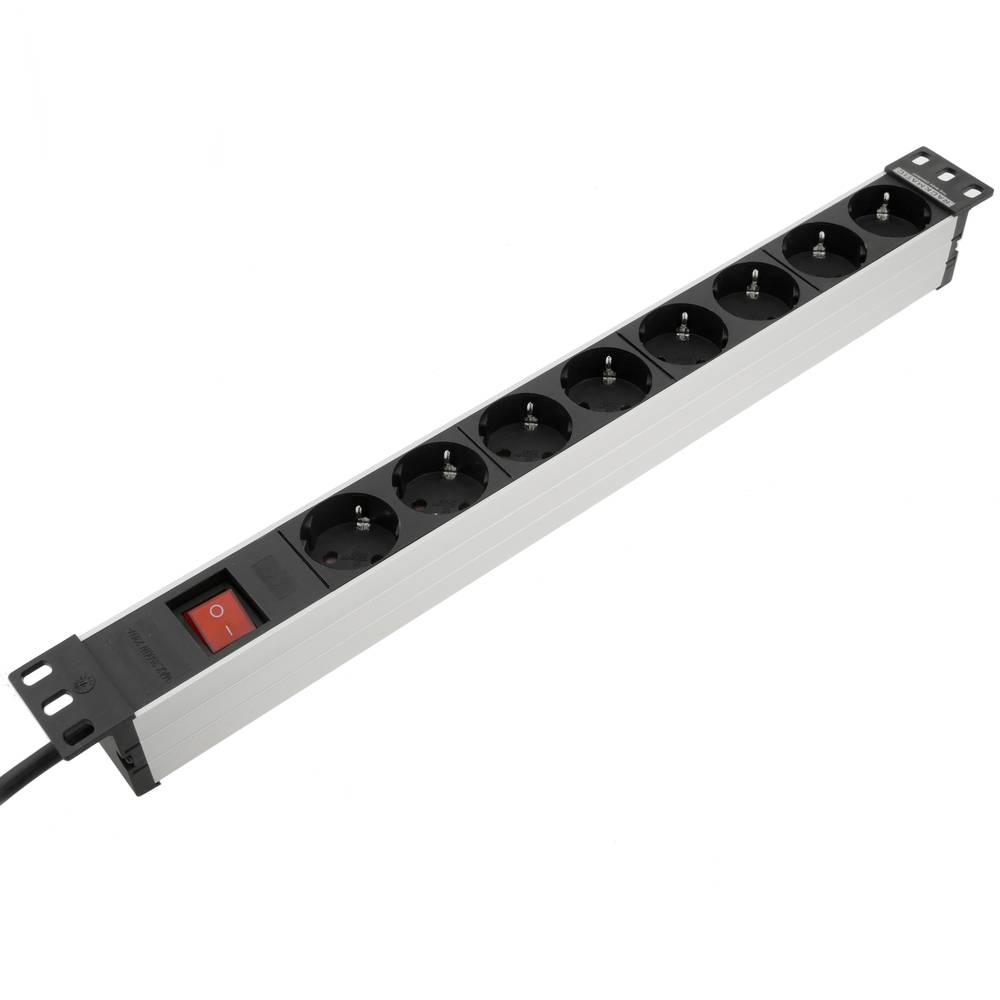
Power distribution unit mounted vertically in a rack

Power distribution unit (PDU)

A multi-outlet device that distributes power across the devices mounted in the rack.

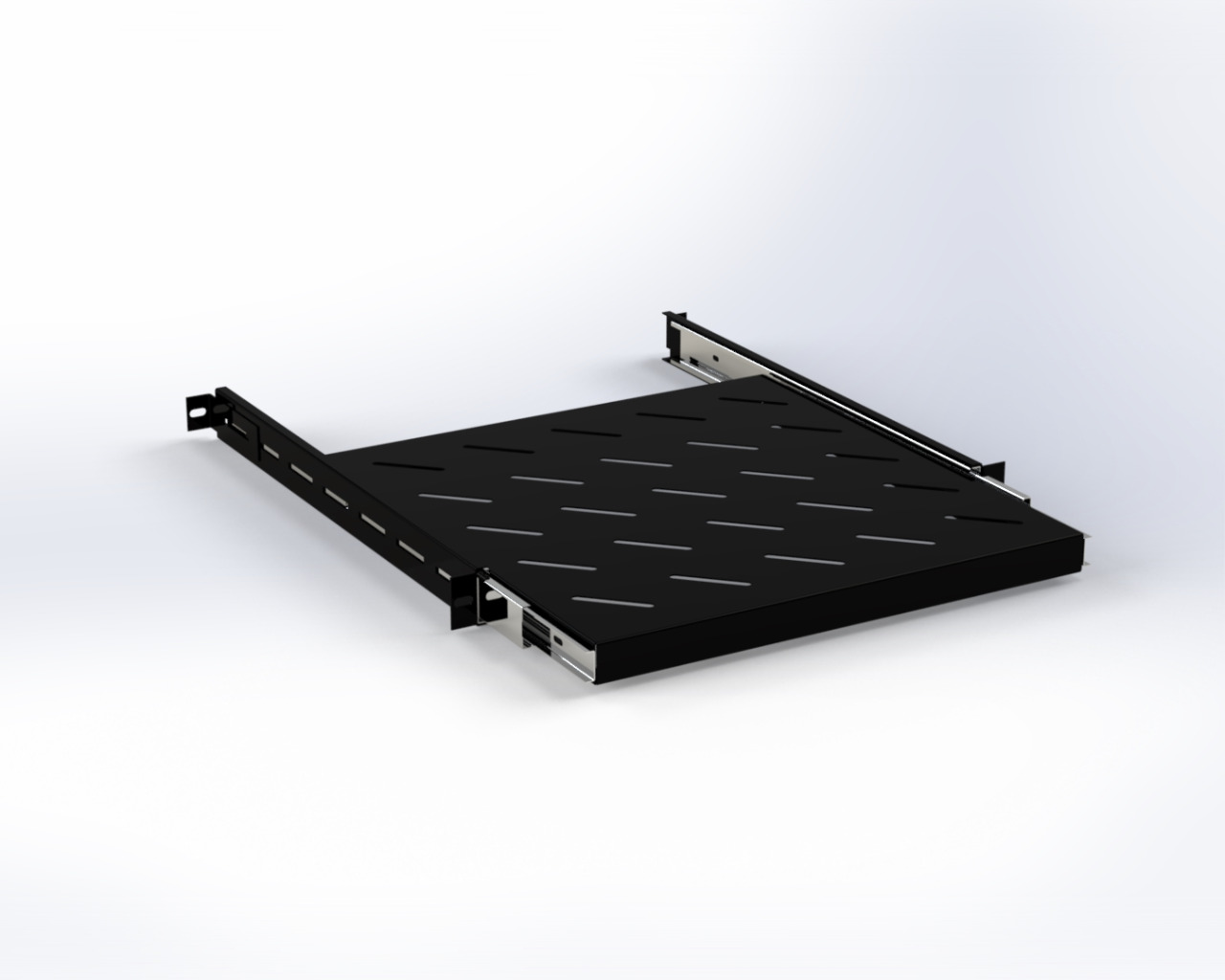
Sliding shelf installed in a rack

Rack shelves

Sliding or ventilated, shelves make organizing and optimizing the rack's interior straightforward.

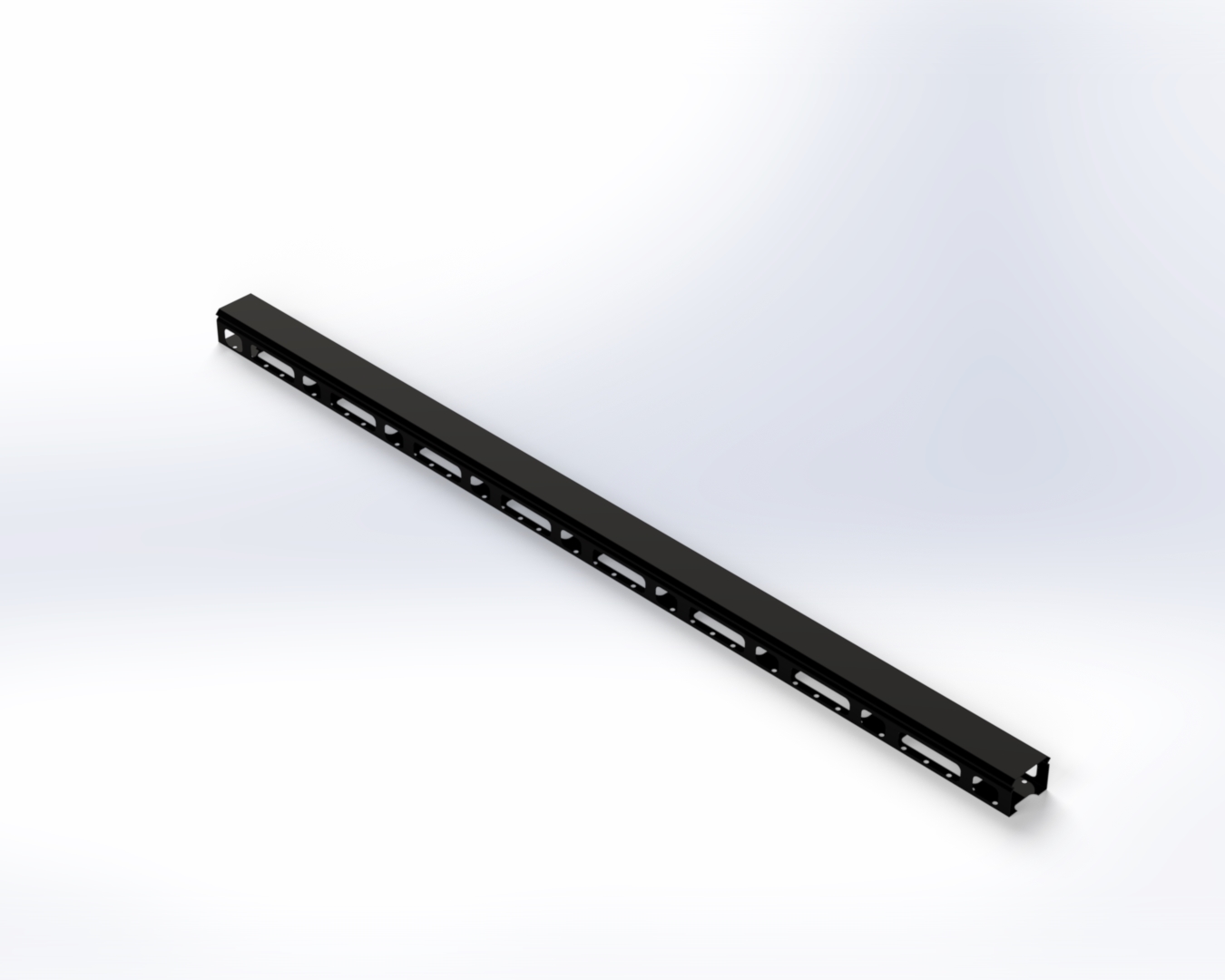
Vertical cable management bars installed alongside rack equipment

Cable management bars

Not optional if you want a neat rack: horizontal bars route cables to and from equipment, vertical bars route them up and down through the rack.

Pick the right rack type, add the right set of accessories, and you get maximum utilization with minimum clutter.

07

Your guide to choosing the best network rack

Range of network rack sizes side by side

Network rack dimensions are standardized — mainly depth and height — to unify component design and manufacturing. Ranges run from 2U (typical for a small home or office) up to 48U (high-density data center use), and styles vary to match different environments:

  • 4 & 2-post open-frame racks — 22U to 46U; the most economical option, with strong ventilation but limited security.
  • Fully enclosed racks — higher hardware protection, in a few sizes:
    1. Slim racks — up to 5U, for small spaces and limited needs.
    2. Wall-mounted / double wall-mounted racks — 4U to 15U, for small computing spaces.
    3. Floor-standing racks — 18U to 42U, for larger, more secure setups.
    4. Outdoor racks — the highest level of protection against moisture and dust.

Choosing the right type — and pairing it with the right accessories — pays off later: neatly laid cable saves time, energy and money the next time something needs replacing or reconnecting.

08

How to choose the right cable tray

Cable tray systems support and protect power cables, making them one of the easiest ways to upgrade, expand, relocate or reconfigure a cabling system. The right type depends on the number, size, spacing and weight of the cables it needs to carry.

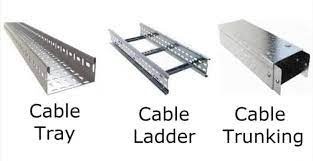
  • Solid-bottom cable trays

    Best for fiber optic installations, where dropped cables affect performance — the solid bottom shields against electromagnetic and radio-frequency interference.

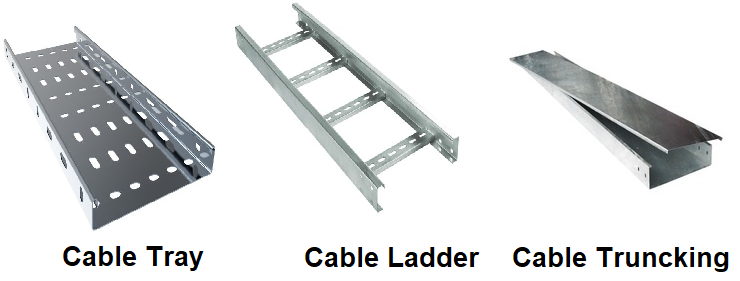
  • Cable ladders

    Suited to electrical instrumentation and telecommunication cables.
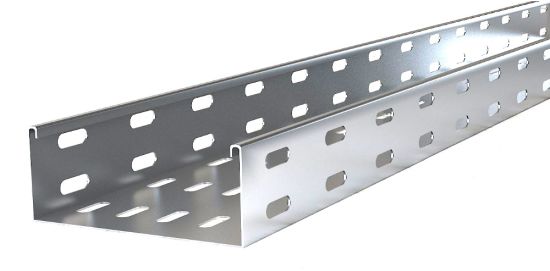
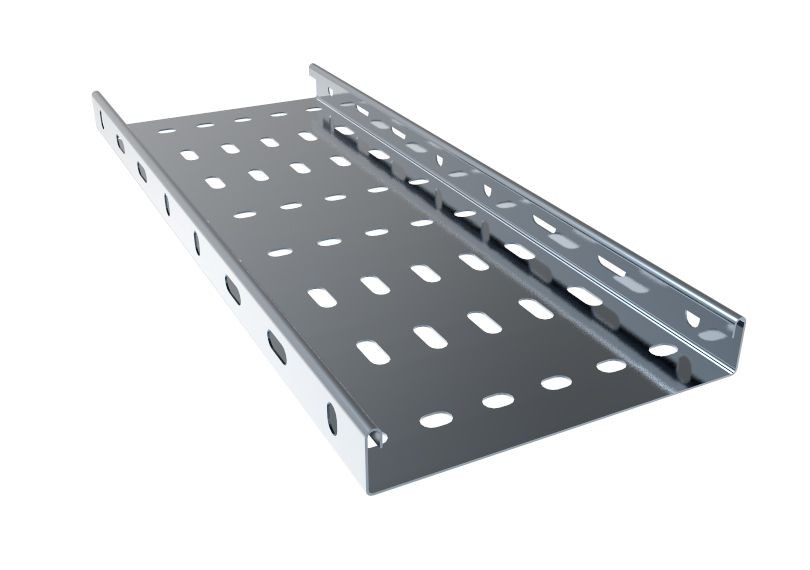
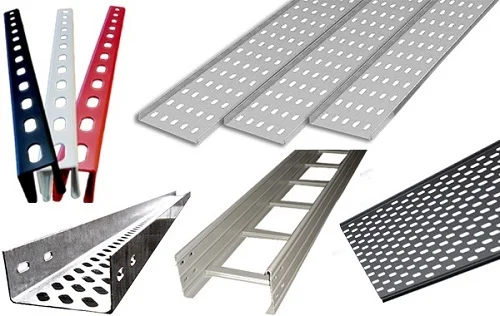
  • Perforated cable trays

    Good for light electrical and instrumentation cables and tubing — bottom coverage reduces interference while perforations allow drainage and ventilation.

  • Wire mesh

    Mainly used for low-voltage, telecommunication and fiber-optic cables over short spans.

Masar manufactures the full range, with an accessory set designed to match each configuration to your exact load and layout requirements.

09

Choosing cable tray accessories

Cable tray accessories connect and support the tray system so it can follow the actual layout of a project rather than just running in a straight line. Done well, they:

  • Make solid, secure connections through the tray system.
  • Support safety during construction.
  • Save installation time and effort.
  • Save floor and wall space.
  • Offer load capacity and finish options that suit the project.
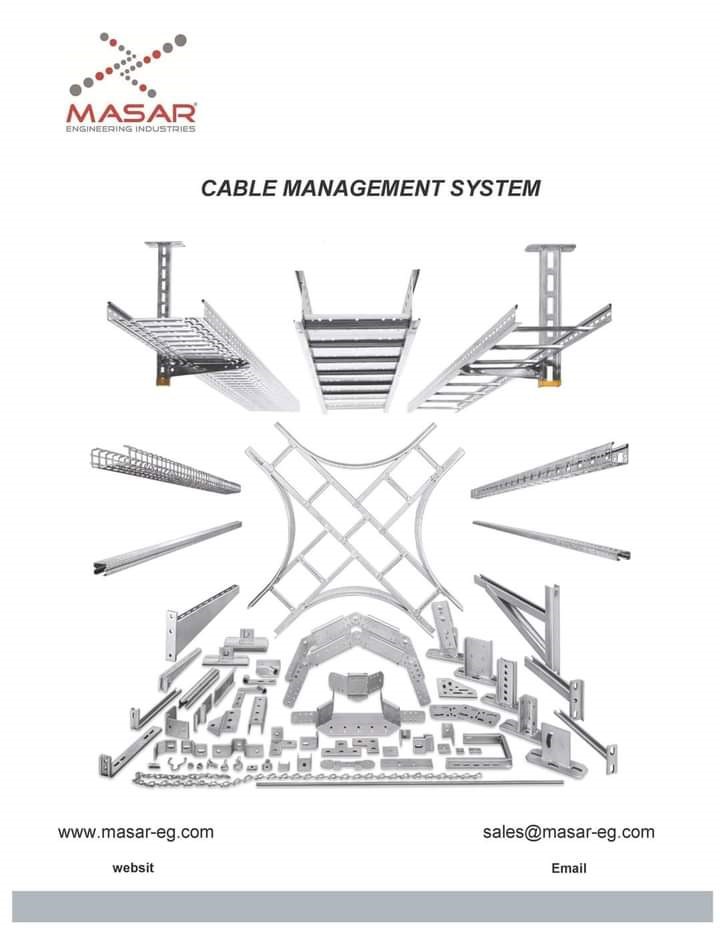
Assortment of Masar cable tray accessories

Main accessory types

  • Elbows / bends

    Horizontal 45° and 90° elbows change direction on the same level; vertical elbows (inside or outside) move the tray between levels.

  • Tee connections

    Join three trays in three directions on the same level.

  • Reducers

    Handle a change in tray width — straight, left-hand or right-hand.

  • Cross connections

    Join four trays at 90° angles on the same level.

  • Splice plates / connector couplers

    Join two trays together — straight, angle or adjustable (vertical/horizontal).

  • Cable tray covers

    Protect the wiring from insects and the environment: solid covers maximize mechanical protection, ventilated covers balance protection with airflow, and peaked covers shed water.

  • Clamps

    Fix tray covers in place — available as C-cover or U-cover types.
  • End plates

    Seal the end of a run of tray.

  • Dividers / barrier strips

    Keep two groups of dissimilar cables separated inside the same tray.

  • Support brackets

    Fix the tray to floor, ceiling or wall.

10

Five reasons you need a cable tray system

Cable trays support electrical cables used for power, control and communication, and they're generally a more flexible, simpler alternative to running conduit — especially for large quantities of cable, overhead or under-floor.

  1. Lower expense

    Costs less than most alternative methods of protecting wiring on the production floor.

  2. Easier maintenance

    Cables can enter or exit the tray at any point, so checking and swapping cables is straightforward — even in hard-to-reach installations.
  3. Safety
    Open, visible routing supports the kind of regular housekeeping that keeps cabling safe.

  4. Choice of type

    Four main tray types cover most requirements.

  5. Customization

    Trays adapt to your specific load and layout, including:

    • Flexible sizing — cast to length and width, straight or curved.
    • Material choice — galvanized steel, stainless steel or aluminum, depending on location and load.
    • Flexible arrangement — along walls, ceilings, or increasingly, under the floor.

Choosing the right system starts with a clear-eyed read of your cable size, weight, spacing and project requirements.

11

Cable tray vs. conduit

Open cable tray carrying multiple cable runs

Cable management deserves the same attention as any other business decision — hiring, budgeting, planning. Here's why a cable tray consistently beats a conduit system.

  • Easy maintenance

    A simple, open structure makes maintenance faster — saving time, effort and money.

  • Fast install

    Fewer tools and less time to install than a comparable conduit run.

  • More safety

    Fixing cables in a tray, rather than running floor cord covers, reduces tripping hazards and cable damage.

Masar production floor manufacturing cable tray

Masar has been one of Egypt's pioneers in this space, manufacturing cable tray with modern equipment and an experienced, well-trained team — electronically linked with customers from the engineering stage through final inspection.

  • Safe wiring connections

    Cable trays keep wiring from being cramped together, and Masar trays — in aluminum, steel or stainless steel — hold up under demanding conditions while protecting cables from fire, electric shock and dust.

  • Variety of applications

    Different cable tray product types

    Used across automotive and construction industries; the specific product depends on budget, project size and price range.

  • Save money

    By reducing damage from hanging or piled-up cables, a cable tray extends cable life and maximizes performance — increasingly important as buildings and plants move toward automation and more complex wiring.

  • Get a clean environment

    Perforated cable tray keeping cables off the floor

    Tangled, piled cables collect dust — not ideal in a closed office or store. Keeping cables above the floor in a tray keeps the space easy to clean.

  • Save time

    Installation is quick, ventilation spacing is easy to maintain, and finding a faulty cable later is far less guesswork than digging through a bundle.

In short: Masar's ladder, perforated, solid and wire-mesh trays cover most use cases. A cable tray beats conduit on installation time, maintenance, cost and workspace cleanliness — while keeping cabling safer.

12

Five tips before buying a rack system

Enclosed 42U server rack

A rack protects the electronics stored inside it — but only if it's specified correctly. Here's what to check before you buy.

1. Ventilation and cooling

Heat trapped in a closed enclosure shortens equipment life and hurts performance. Options include an open rack with controlled room temperature, or fans and extra ventilation added to an enclosure. Three cooling methods cover most cases:

  • Air conditioning — precise and tight control, common for high-performance computing, but the most expensive option.
  • Fresh airflow — natural, mechanical (fans) or hybrid ventilation that swaps warm air for cool; lower cost.
  • Liquid cooling — effective for large installations with many high-frequency servers, but expensive to install.

2. Adjustable shelves

Whether open or enclosed, well-fixed, adjustable — ideally sliding or swing-out — shelves make maintenance meaningfully easier.

Open-frame server rack with adjustable shelving

3. Open or enclosed?

Open racks give the fastest access and suit rooms where that access matters most, but cost more. Enclosures protect against dust and moisture — the better choice when equipment needs shielding.

Power distribution: an intelligent PDU can be monitored and controlled remotely over the internet; a standard PDU offers output display and fault detection but is managed manually, with faults caught by an administrator.

Pre-assembled rack ready for installation

4. Construction

Check whether the rack is self-assembly or pre-welded, and whether professional installation is available if you need it — Masar handles full installation, including sound systems, cameras and theater setups, for customers who need it.

5. Customization

Beyond the standard range — cable trays, electrical enclosures, fire cabinets and metal lockers — Masar customizes racks to a customer's exact specification, dimensions and measurements.

13

An ultimate guide to cable management systems

Range of Masar cable management system types

A cable management system organizes cabling during installation — inside a cabinet, an internal data cabinet, or an outdoor run — preventing tangles and easing maintenance. This guide walks through the options so you can match one to your requirements.

Perforated cable tray in an industrial setting

As power, telecommunications and optical cabling all become more central to industry, cable management systems need to support regular inspection, easy rearrangement, and airflow that keeps cables from overheating.

Masar produces four main types: ladder, perforated, solid, and wire mesh.

Ladder cable tray

Ladder-type cable tray

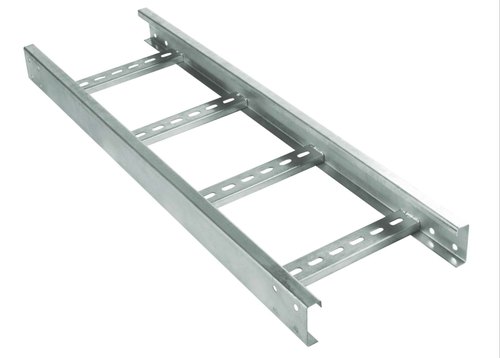
Open construction gives free airflow across the cables, dissipating heat, keeping insulation from overheating and preventing moisture build-up — while still permitting easy entry and exit for small-diameter cables. Available in:

  • Aluminum — corrosion-resistant, easy to fabricate and install on-site, excellent strength-to-weight ratio, and a good grounding conductor.
  • Steel — electric shielding, multiple finish options, low thermal expansion, limited deflection.
  • Stainless steel — superior corrosion resistance and high-temperature tolerance.

Perforated cable trays

A two-part design — an aerated bottom paired with face rails — that supports cables better than a plain ladder tray. Choosing between the two comes down to cable type, size and the space available; make sure to account for the diameter of every cable and the spacing you'll need between them.

Advantages of Masar's cable management systems

  • Easy to install.
  • Higher cable fill than other wiring methods.
  • Lower material and labor cost.
  • Metal tray can double as an equipment ground conductor.
  • Smaller footprint than alternative systems.
  • Easy to inspect.
  • Faults are easy to trace and repair without replacing cable.
  • New cables can be added to an existing tray later without disruption.

The right system depends on your industry and the cables you run. It should make upgrading, expanding, reconfiguring and relocating your network straightforward — whether wall-mounted, ceiling-suspended, or under the floor — and keep it performing reliably for years.

14

Masar fire cabinets, explained

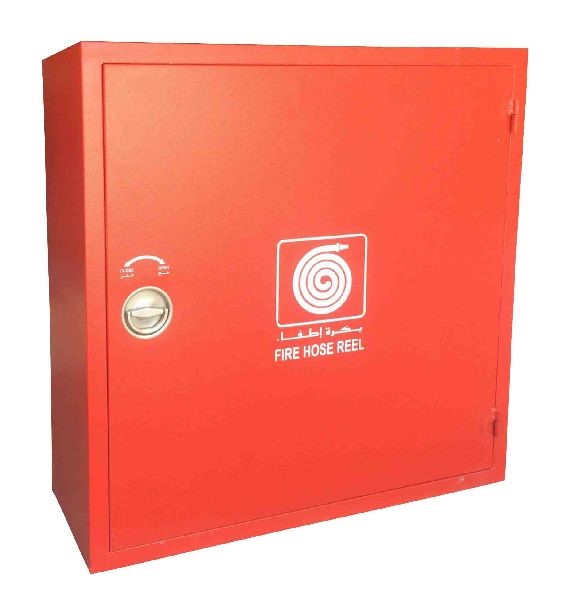
Wall-mounted fire hose reel cabinet

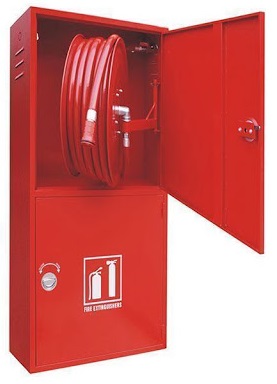
A fire cabinet stores firefighting equipment — hoses, extinguishers, hose reels — to limit fire damage and support safe, correct use in an emergency. Masar produces single cabinets, horizontal and vertical double cabinets, and fire extinguisher cabinets.

To use a fire hose reel safely: pull and swing out the hose reel drum, open the control (gate) valve, roll out the hose, turn on the nozzle valve, and direct water at the fire.

Position matters — install the cabinet somewhere clear and commonly accessible, keep it identifiable and reachable at all times, and if it's locked, keep the key with a tenant unit or the fire protection specialist.

Common causes of workplace fire

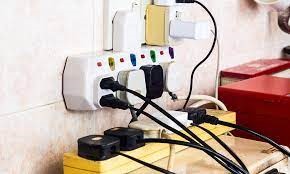
Damaged electrical wiring, a common fire cause

Faulty electrical equipment — loose wires, overloaded plugs and faulty connections are among the most common causes of workplace fire, and the cost of a resulting fire can run over 20 times the cost of proper fire safety equipment.

Storage of flammable materials in an industrial cabinet

Improper storage of flammable and combustible materials — the second most common cause. Storing flammable liquids without adequate cabinet capacity leaves a single spark room to become a fire.

Masar fire extinguisher double cabinet

Lack of firefighting equipment — skipping fire alarm systems to save cost removes the early warning that stops a small fire before it spreads. Masar fire cabinets are manufactured to comply with the Egyptian code.

Lack of staff training — properly trained staff are what turn a fire cabinet into an actual safety measure. Training on flammable-materials handling should be a standing priority for any workplace.

Single fire hose reel cabinet — features

  • Door in 1mm electro-galvanized steel sheet.
  • Recessed door lock and chrome-plated handle.
  • Red electrostatic powder coating standard; other colors on request.
  • Solid or transparent-glass door.

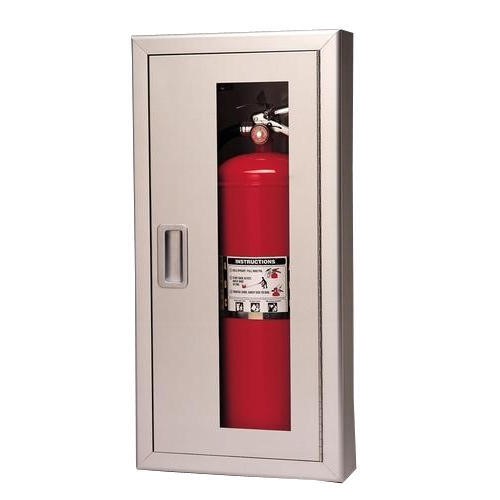
Fire extinguisher cabinet

Masar fire extinguisher cabinet

Available in a range of door styles, glazing, lettering and mounting configurations, with durable, unitized construction that fits almost any building type.

15

Selecting the best electrical enclosure

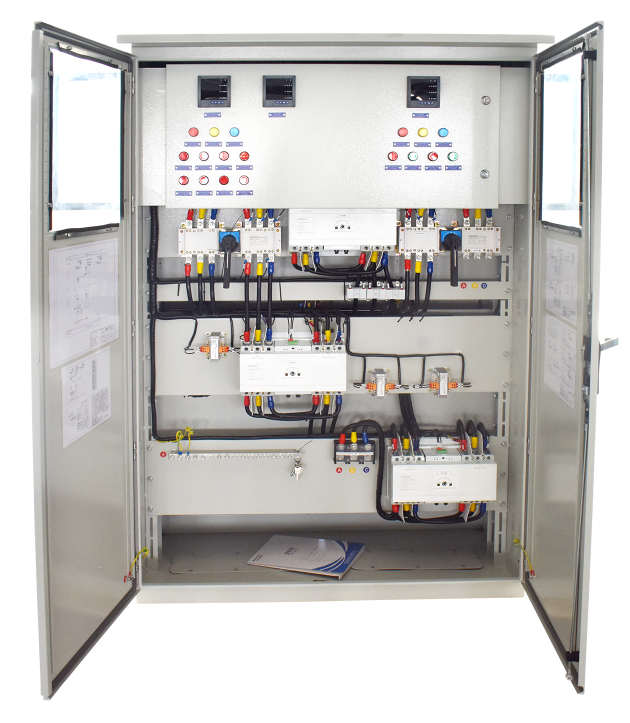
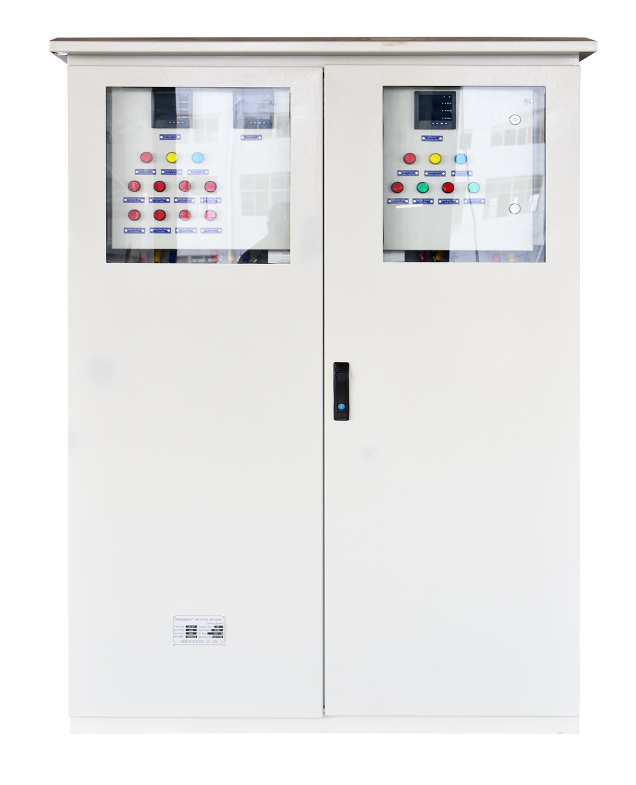
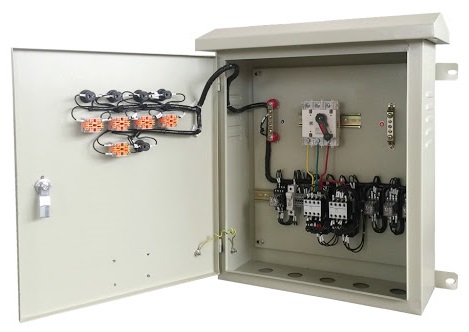
An electrical enclosure protects equipment, people and the surrounding environment — especially critical in hazardous locations like petrochemical plants and coal mines, but relevant anywhere sensitive electronics need shielding.

Steel electrical enclosure cabinet

An enclosure is a cabinet or box, typically rigid plastic or metal (steel, stainless steel or aluminum), that guards against electrical shock and shields equipment from electromagnetic and radio-frequency interference. Common applications include:

  • Circuit breakers, contactors, control panels and switches.
  • Distribution boards and panelboards.
  • Pressurization and purging systems.
  • Telephone cabinets.
  • Manufacturing plants.
  • Mining, oil and gas facilities.
  • Utilities.
Masar floor-standing electrical enclosure

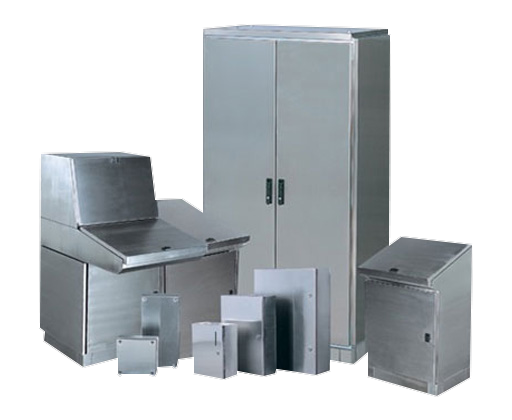
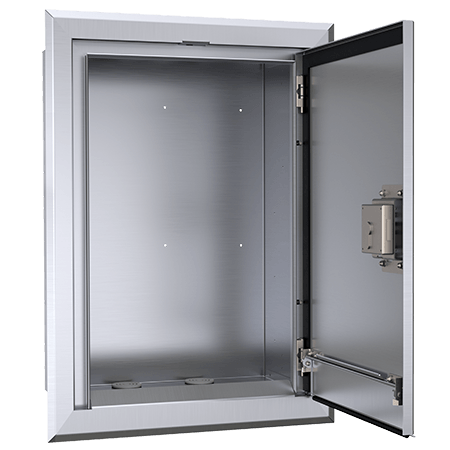
Masar produces floor-standing, wall-mounted, console-series and flush-mounted enclosures, built to National Electrical Code (NEC) and NEMA rating standards.

What to check before buying

  1. Size

    Wall-mounted enclosure sized for control equipment

    Know what equipment goes inside and its dimensions before you choose an enclosure. Masar's wall-mounted range covers a wide span of standard sizes and is easy to customize for anything outside it.

  2. Material

    Flush-mounted electrical enclosure

    Weigh weight, water resistance, durability, impact resistance and flammability. Steel is strong, durable and easy to modify at lower cost. Aluminum is lighter but pricier and more flexible. Die-cast aluminum costs less than machined aluminum but has more dimensional variability — and both plastic and die-cast tooling get expensive fast if you need size changes later.

  3. Site hazards

    Wall-mounted enclosure rated for a hazardous environment

    NEMA and IP ratings tell you how well an enclosure withstands water, snow, high temperatures and other environmental conditions — plus any flammability or UV requirements specific to the site.

  4. Features and accessories

    Mounting provisions, panels that avoid extra drilling, and lock mechanisms on hinged covers all affect how well the enclosure fits your actual installation.

16

Five cable types that need a cable tray

Cable tray carrying multiple cable types

Cable tray systems meet the requirements of power, control, communication and instrumentation cabling across industries — and are steadily replacing conduit as the preferred way to route cable.

By type

Perforated, trough, cable duct/trunking, and ladder — Masar manufactures the full range, with fixtures and accessories to match.

By material

MaterialAdvantage
AluminumCorrosion-resistant, easy to fabricate and install, strong for its weight, good grounding conductor.
SteelElectric shielding, multiple finish options, low thermal expansion, limited deflection.
Stainless steelSuperior corrosion resistance and high-temperature tolerance.

By finishing

Galvanized perforated cable tray

All Masar trays are manufactured from prime-quality sheet, finished by electrostatic coating, pre-galvanized sheet, or hot-dip galvanizing after manufacturing.

Cables that typically need a tray

  1. Instrumentation tray cable (ITC)

    Shielded or unshielded, single or multi-conductor, with or without metal armor, typically at 300V insulation — installed by qualified technicians in industrial rooms or under raised floors for IT equipment.

  2. Optical fiber

    Glass or plastic fiber cores surrounded by cladding, carrying far more data than copper with much lower electromagnetic interference — used for high-speed and long-distance transmission.

  3. Metal-clad cables

    Rated for 600V and medium-voltage power distribution, lighting and control, indoors or outdoors, wet or dry.

  4. Communication cables

    Coaxial, copper or twisted-pair conductors used in studios, data transmission, intercoms, RF shielding, radio transmitters and electronic circuits.

  5. Fire alarm cables

    Split into limited-power and non-limited-power types, plus a fire-resistant (CI) variant designed to keep a fire circuit operating briefly during a fire — Power-Limited Fire Alarm (PLFA) cable is a common example.

The global cable tray market was valued at roughly $2.75 billion in 2018 and was projected to reach $5.46 billion by 2026 — a 9.06% CAGR over the forecast period.MarketWatch, 2022
17

Cable tray types and why they matter

Most cable tray systems are open, whether suspended from a roof, mounted to a wall, or run under the floor. Sizing and planning starts with knowing your cable lengths and diameters, and matching them to the right tray style — ladder, perforated, or duct/trunk.

Masar's cable tray is tested against outdoor conditions, mechanical stress, flammability, and crush and impact resistance, and can be shielded with a plastic jacket or metal armor for indoor or outdoor use, including in electrically noisy environments.

Main types

  • Perforated type

    Used with heavy-duty power cables; perforations give continuous airflow to prevent overheating, and coupler holes let trays connect end to end with the supporting strength each run needs.

    Perforated cable tray with cover

    Features: open design for heat dissipation and ventilation · solid, versatile construction · non-flammable epoxy powder coating · protected edges · isolated and short-circuit safe · simple, fast to install · long service life.

  • Duct type and trunking

    An efficient option for distributing smaller volumes of telecommunication and electrical cable.

  • Ladder type

    Preferred for industrial applications and heavier cable, with side heights of 50–150mm and widths of 100–900mm. Two side rails connect across rungs, making installation straightforward.

    Ladder-type cable tray with heavy cable load
  • Support and accessories

    Uni-strut, brackets, hanging supports and spring nuts round out the full installation.

Why a cable tray system pays off

  • Keeps wires and cables organized in a system built for the purpose.
  • Separates cable groups cleanly and safely inside a metal barrier.
  • Makes tracing and fixing faults far easier when cables need attention.
  • Handles space constraints around the tray with adaptable raceway configurations.
  • Uses equipment grounding conductors, adding a layer of electrical safety.
  • Provides mechanical support for cables used in power distribution, control and communication.
Overview of cable tray installation types

In short: a well-chosen cable tray system protects cable safety, saves cost, and adapts to a wide range of applications while running long distances safely — all without needing high-efficiency air conditioning to control temperature.

18

Wall mount racks and their benefits

Fully assembled Masar wall mount rack

Rack choice comes down to your available space, budget and design needs. A wall mount rack is one option worth knowing well — here's what it offers and how to size one correctly.

Wall mount racks suit settings with limited floor space — network switches at a shop or office, or even servers — and equipment can be mounted vertically or horizontally to save room and keep access easy.

Know the space your equipment needs and make sure everything fits without leaving too much open room — excess space needs blanking panels to keep airflow contained.
Wall mount rack installed on studs

Weight capacity

Estimate the total weight of your equipment before buying, and buy more capacity than you currently need — a rack outlasts the equipment inside it, and moveable racks lose some load capacity while in motion. Check the wall studs can support the rack and its contents before mounting.

Three things to check before choosing a wall mount rack

  1. Height

    Know the tallest equipment you'll install, and size for future growth rather than just your current list.

  2. Depth

    Measure your deepest piece of equipment and add at least 3 inches for cabling — a 16.5" cabinet comfortably fits 13.5"-deep equipment.

  3. Special features

    Perforated metal or plexiglass doors for airflow, locking doors for security, and heavy rolling casters for easier positioning are common options worth considering.

Masar double-section wall mount rack

Masar's double-section rack

  • Precise, space-efficient dimensions.
  • Easy installation and maintenance.
  • Fan-equipped for good ventilation.
  • Closable top and bottom cable entries.
  • Removable side panels and front/back doors.
  • Durable steel construction and finish.
  • Wall-mounting hardware included.
  • Uncommon in the Egyptian market — Masar builds it to spec.

Benefits at a glance

  • No floor footprint — efficient use of a small space.
  • Works well for general IT equipment, not just networking gear.
  • Faster and simpler to install than most other rack types.
  • Saves time and money over larger alternatives.
  • An affordable, well-organized option for small businesses.
  • Guards equipment against physical interference or accidental damage.

A wall mount rack is a practical alternative to a full server rack wherever space and budget are tight — sized to your equipment today, with room for tomorrow's growth.

19

A professional guide to racks and their types

Standard 4U network rack

Before designing around a new server or network rack, the real question is how you'll configure your equipment and what size cabinet actually fits it. Getting that right up front saves cost later: without a rack, IT equipment occupies space randomly; with one, it's organized, better cooled, better cabled and easier to maintain.

What is a rack? A standard rack has two or four vertical mounting rails, framed in steel or aluminum, with holes along the rails for screwing equipment into place — dimensions standardized across the industry.

Server cabinet vs. network cabinet

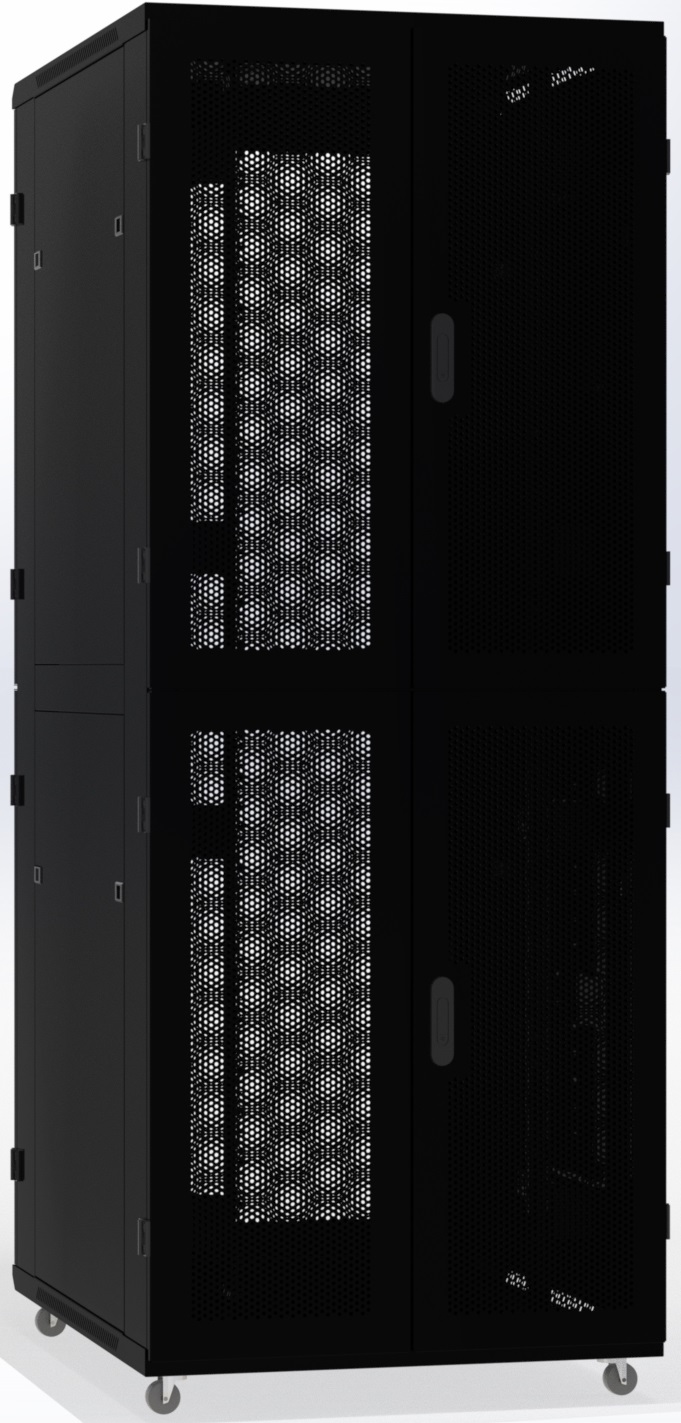
42U server cabinet, 19 inches wide

A 42U server cabinet, generally 19" wide to industry standard, is built to keep servers running efficiently while minimizing the risk of problems that hurt productivity. Masar's server cabinets feature:

  • Steel doors with 80% airflow, exceeding typical OEM airflow requirements.
  • Removable, refittable doors and side panels.
  • Standard swing-holder doors; side panels with two to four cam locks and bottom location holds.
  • Fan trays mountable on the top cover without losing usable U space, plus optional additional fan units.
  • Double, triple or quad sections up to a 48U rack.
  • Custom doors, casters, accessories and other options.

Typically 24" wide and 36" deep, with ventilation built in to manage heat, a server rack from Masar comes with easy installation for any server room or data center — competitively priced, with a short delivery time.

Additional advantages: rigid, locked construction · multi-depth mounting · cable access from multiple sides · left- or right-hand joined doors · secured side panels · compatible with all major server brands.

Network cabinet storing patch panels and switches

Network cabinet

Similar in concept to a server rack, but built for patch panels, routers, switches and networking accessories. A network cabinet typically runs a little deeper than a server rack, often with a glass or strong plastic door rather than perforated panels, and generates less heat since it houses lighter equipment. Masar's 4U rack is built to securely store DVRs, switches and routers, with:

  • Assembled or welded delivery options.
  • Single or double sections.
  • Removable, refittable doors and side panels.
  • Single or double fan mounting.
  • Custom doors, casters, accessories and other options.

Why Masar rack cabinets

  • High-quality network cabinets at a competitive price.
  • Neat, secure storage for networking equipment.
  • Easy access and monitoring.
  • Managed cooling and airflow.
  • Reduced cable clutter.
  • A range of sizes and mounting options to fit your equipment properly.